Thursday, December 12, 2019

American web television series Stargirl Premieres Spring 2020 FlyVPN takes you to watch DC Universe and CW

The CW released the first Stargirl trailer on December 10, and the show will arrive on The CW sometime next Spring. However, DC Universe and CW are only available in the United States. You need to get an American IP address with a VPN. FlyVPN is recommended.


Stargirl is an upcoming American drama web television series. The first season has 13 episodes. The heroine Courtney Whitmore discovers a powerful cosmic staff and, after learning that her step-father used to be a hero sidekick, becomes the inspiration for a new generation of superheroes.

Stargirl, Starman, Hourman, Wildcat, and Doctor Midnight are members of the Justice Society. DC Universe Casts Injustice Society’s Tigress, Sportsmaster, and Dragon King.

How to use FlyVPN to watch Stargirl on DC Universe and The CW?
1. Google searches for FlyVPN and opens the website
2. Click VPN Apps, FlyVPN supports Windows, iOS, Android, Mac, Linux, and other devices. Download according to your system.
3. Register and log in
4. Select the appropriate country server, click connect option. Get the US IP address and access to the US website.

VPN software, why choose FlyVPN?
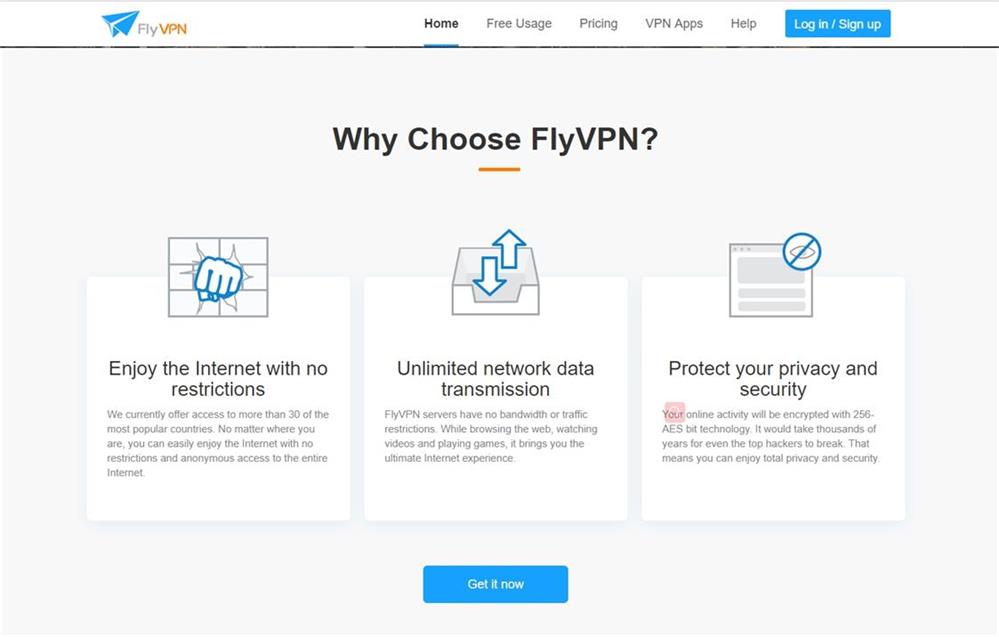
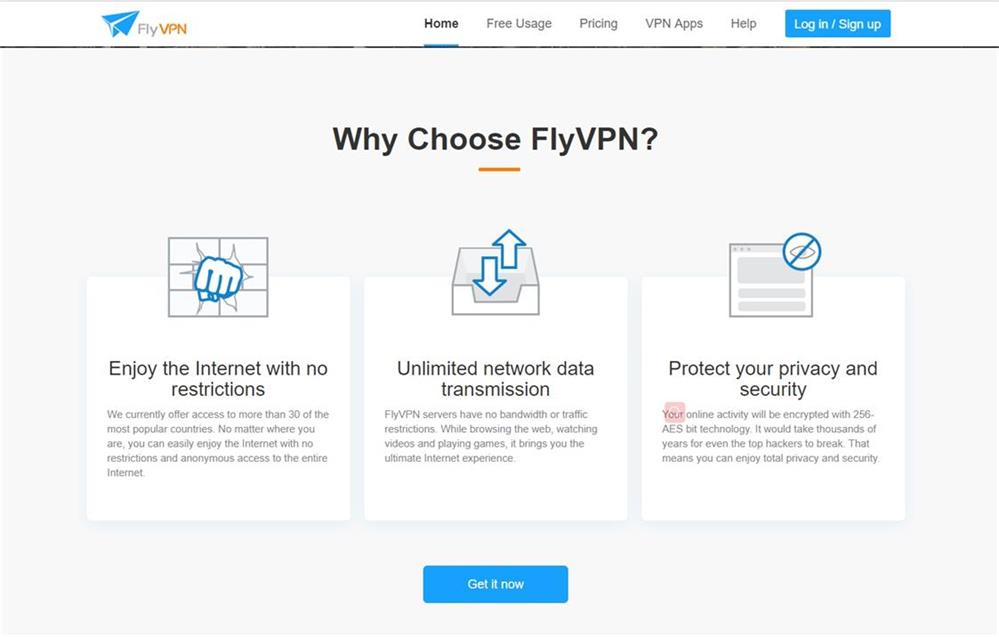
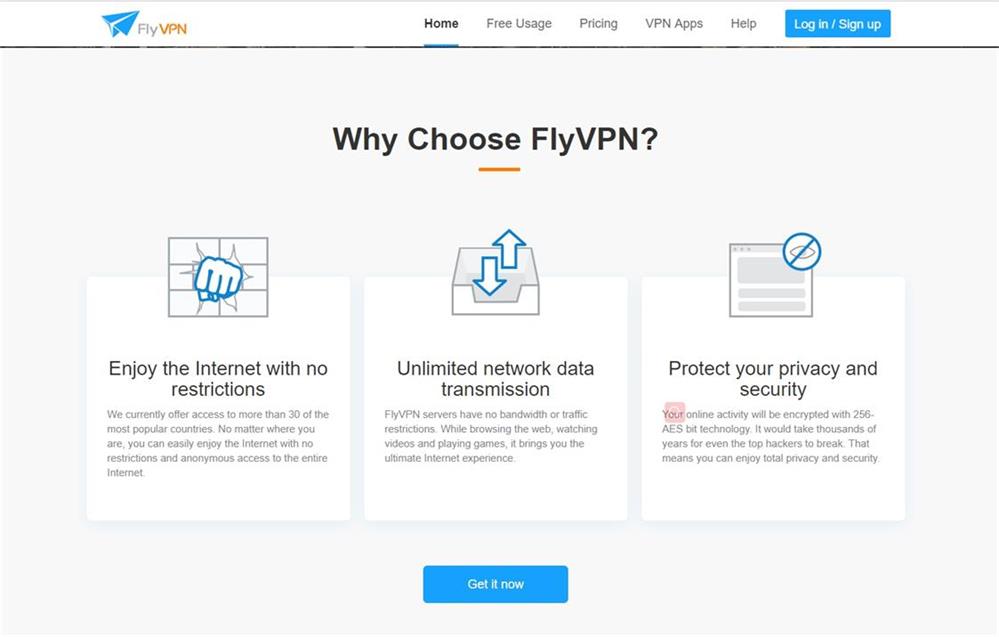
1. Enjoy the Internet with no restrictions. FlyVPN offers access to more than 30 of the most popular countries. No matter where you are, you can easily enjoy the Internet with no restrictions and anonymous access to the entire Internet.
2. Your online activity will be encrypted with 256-AES bit technology. It would take thousands of years for even the top hackers to break. That means you can enjoy total privacy and security.
3. Unlimited network data transmission. FlyVPN servers have no bandwidth or traffic restrictions. While browsing the web, watching videos, and playing games, it brings you the ultimate Internet experience.

What servers does FlyVPN have?
FlyVPN currently has servers in 34 countries around the world, and servers in other countries are also expanding. With 256-AES technology to encrypt online data, FlyVPN can protect network security and prevent leakage of private information. FlyVPN mobile application users have 14 days free trial for the first time, and there are many free VPN servers. FlyVPN is a worthy choice.
More servers, click on the link to enter the official website to view: https://www.flyvpn.com/en/


Saturday, November 9, 2019

How to easily get the Japanese IP address to play Final Fantasy, watch Japanese anime

As one of the countries with the developed Internet, Japan has outstanding achievements in the fields of internet, film, game, and anime. Due to popular games and animes, Japan has become one of the most popular VPN locations in the world.


Nintendo is a famous game company in the world. Once a new game is launched, players will be very excited. For example, "Final Fantasy", in addition to Japan servers, there are also international servers. International servers mainly serve players outside of Japan. How to play Japan servers outside of Japan? Many players choose to use Japan VPN to enter the Japanese website.

Due to licensing rights, some Game agents are obliged to limited their contents to a specific nationality. Once the user IP is not the local IP, the game account will be blocked. In the same way, watching Japanese TV dramas and Japanese anime will also be restricted. As a result, the demand for Japan VPN has increased. You only need to use a VPN to change your IP to Japanese IP, you can browse Japanese websites like local Japanese users. VPN can also help Japanese users browse global websites.

It is recommended to use FlyVPN. It not only provides the Japanese IP address but also protects the user's privacy and avoids being collected by the corresponding browser.


How to use FlyVPN to access a Japanese website?
1. Google searches for FlyVPN and opens the website
2. Click VPN Apps, FlyVPN support Windows, iOS, Android, Mac, Linux and other devices. Download according to your system.
3. Register and log in
4. Select free Japan server, click connect option. Visit the a Japanese website easily

Japan VPN, why choose FlyVPN?
1. Enjoy the Internet with no restrictions. FlyVPN offer access to more than 30 of the most popular countries. No matter where you are, you can easily enjoy the Internet with no restrictions and anonymous access to the entire Internet.
2. Your online activity will be encrypted with 256-AES bit technology. It would take thousands of years for even the top hackers to break. That means you can enjoy total privacy and security.
3. Unlimited network data transmission. FlyVPN servers have no bandwidth or traffic restrictions. While browsing the web, watching videos and playing games, it brings you the ultimate Internet experience.


What servers does FlyVPN have?
FlyVPN has servers all over the world. Connect the world with one click, and there are numerous free servers.
Click on the link to enter the official website to view: https://www.flyvpn.com/freetrial 

If you want to watch NCIS: New Orleans out of the US, you can use FlyVPN to break regional restrictions

NCIS: New Orleans is an American television series combining elements of the military drama and police procedural genres. The series is set and filmed in New Orleans and shows the music, food, and customs of New Orleans. NCIS: New Orleans was renewed for a sixth season, premiered on September 24, 2019, on CBS. Due to regional restrictions, most network users need to use VPN to watch CBS programs. With FlyVPN, they can break network restrictions and watch CBS programs easily from anywhere.
NCIS: New Orleans follows a fictional team of Naval Criminal Investigative Service (NCIS) agents stationed out of New Orleans. The team focuses on crimes that involve personnel in the United States Navy and Marine Corps.

This series was originally derived from another album of CBS, two episodes (8x20 and 8x21) of JAG (U.S. military acronym for Judge Advocate General). Unlike the other criminal series CSI, NCIS: New Orleans does not emphasize the actual process of collecting evidence but emphasizes the personality of the main characters.
According to official sources, "NCIS: New Orleans" is only updated on CBS at 10 pm every Tuesday. It has been updated to the sixth episode, and the seventh episode will be updated on November 12. If you want to access CBS out of the US, you can use FlyVPN to break regional restrictions. CBS Official website: https://www.cbs.com/.


How to use FlyVPN to access US websites to watch NCIS: New Orleans?
1. Google searches for FlyVPN and opens the website
2. Click VPN Apps, FlyVPN supports Windows, iOS, Android, Mac, Linux, and other devices. Download according to your system.
3. Register and log in
4. Select a USA server, click connect option. Visit the US website easily


VPN software, why choose FlyVPN?
1. Enjoy the Internet with no restrictions. FlyVPN offers access to more than 30 of the most popular countries. No matter where you are,
you can easily enjoy the Internet with no restrictions and anonymous access to the entire Internet.
2. Your online activity will be encrypted with 256-AES bit technology. It would take thousands of years for even the top hackers to break. That means you can enjoy total privacy and security.
3. Unlimited network data transmission. FlyVPN servers have no bandwidth or traffic restrictions. While browsing the web, watching videos and playing games, it brings you the ultimate Internet experience.


What servers does FlyVPN have?
FlyVPN currently has servers in 34 countries around the world, and servers in other countries are also expanding. With 256-AES bit technology, users can use this VPN to protect their own network security and avoid information leakage. In addition, FlyVPN has a reasonable price, users can get 14 days free VPN when register on a mobile phone for the first time, and there are numerous free servers, it is worthy of user choice.
More servers, click on the link to enter the official website to view: https://www.flyvpn.com/en/freetrial

Monday, July 3, 2017

How to Watch This Is Us Season 3 on NBC?

This Is Us is an American television series broadcast on the NBC network. It is the ordinary story of an ordinary family encountered in an extraordinary way. This is us will quickly captivate you, make you laugh and also cry around a simple story and full of twists and turns. Season 3 of This Is Us will air on September 26, 2017 on NBC in the United States. For the French, however, it will take even longer. For the moment no date has been given for the broadcast in France.

If you want to watch This Is Us on NBC, you probably know that if you connect to the NBC site, you will not be able to access the content of this media site because of the geoblocking associated with media rights.


How to watch This Is Us Season 3 on NBC from France?

The solution is very simple, you simply need to use a VPN that allows you to surf from an IP address based in the US. Thanks to this, the contents of the NBC site are accessible to you. Simply connect to a VPN USA server, your access will be automatically accepted.

If you want to have a VPN to watch American TV, you can use FlyVPN, This is an excellent VPN service, and allows to use hundreds of VPN servers with thousands of IP address available. Includes 40 VPN servers in the United States. You can test with USA VPN free trial to access NBC content before purchase.

You just need to follow these simple steps and you can enjoy watching This Is Us Season 3 on NBC from anywhere with FlyVPN:
  1. Subscribe to FlyVPN, or use FlyVPN's free VPN service. FlyVPN offers VPN free trial service and 14 days free VPN.
  2. Download the VPN client on your PC, Mac, Android, iPhone or iPad. FlyVPN offers free client software for Windows, Mac and Linux. In addition, they also have free apps for iOS and Android.
  3. Log in to one of the VPN servers in the US.
  4. Enjoy This Is Us Season 3 on NBC on all devices.

This is all you need to do to watch This Is Us Season 3 on NBC from any country. With FlyVPN, you also benefit from better privacy and better freedom of navigation.

Wednesday, March 25, 2015

Get a Free iPhone VPN

iPhone with its unique design and exclusive OS features is considered the most popular mobile devices. Also, we prefer to use VPN service on iPhone to unblock some certain restrictions or when we connected to public wifi.

iphone-VPN

We want to use free WiFi when it is available, but how do we stay secure? iOS devices send and receive a lot of personal information, so it’s necessary to use iPhone VPN while connecting public Wifi. Fortunately, Apple has great support for VPN built into iOS and Mac OS X.
If you use VPN not so frequently, then go for FlyVPN apps from the iPhone’s App Store to get hand of a free VPN. There is a huge market of free VPN for iPhone mostly used at public WiFi hotspots. For those who look for the best free VPN for iPhone we recommend FlyVPN.
FlyVPN offers unlimited traffic and lots of servers with different locations. The free app is easy to setup and let users access blocked web services and websites. It doesn’t matter even if you know nothing about VPN. Just go to App Store find FlyVPN App and install it by referring to their VPN tutorial: http://www.flyvpn.com/tutorial .

Wednesday, March 18, 2015

Google May Introduce VPN Service for Android

Google seems plan some sort of VPN capability for Android users. The VPN service is important for people live in nations where Internet connections are heavily restricted, or simply want to secure online activities.  

Google-VPN

Google-VPN

Google-VPN

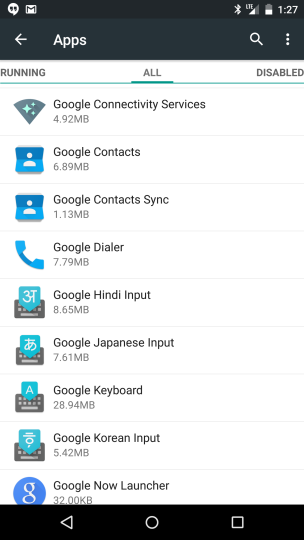
Google has added a new app named “Google Connectivity Services” in the latest Android 5.1 Lollipop version. If you are a Nexus device owner with Android 5.1 Lollipop installed, when running the app, you can find a pop-up showing, “To help protect you on open Wi-Fi networks, your data will be transmitted securely through a Google VPN.” Although this service is unavailable now, it is no surprise Google might introduce its own VPN with privacy concerns gaining traction.
Having access to a VPN service is extremely necessary nowadays. If you’ve ever used public Wifi, needed to work remotely, gotten your bandwidth throttled, or simply just don’t trust your ISP provider, then a VPN connection might be for you. FlyVPN keeps your data hidden and encrypted while you’re connected to a public Wifi network. As each server of FlyVPN offers unlimited traffic, you don’t need to worry about traffic. It disguises your identity and make you appear to be in another country, you can usually choose which country in which you want appear if you choose FlyVPN’s shared IP VPN package.
If you are new to VPN, you can read on some tutorials about how to use VPN. Have a free test about VPN’s diverse functions: http://www.flyvpn.com/freetrial .

Monday, March 9, 2015

New Taiwan VPN Servers Added

Although two Taiwan servers have been added last month, we deployed another two Taiwan VPN servers recently, Taiwan 07 and Taiwan 08. Now, FlyVPN has twelve Taiwan servers in total, the number keeping increasing.

Taiwan-VPN

Both Taiwan 07 and Taiwan 08 servers are contained in shared IP VPN package. If you would like to play fantastic Taiwan games or watch excellent Taiwan TVs, the best choice is buy VPN. We have 160 servers located in more than 30 countries in this package, means you can unblock restrictions of websites in these countries. If you are sick of Taiwan VPN servers, you can shift to any country’s VPN on the list. 
There is one Taiwan server for free trial. So users who don’t have a free account can get a Taiwan IP by using our free VPN accounts. FlyVPN always love to hear from you, so thank you for all your server suggestions. 
More details for Taiwan 07 and Taiwan 08 server:
VPN Plan: Shared IP package
Traffic: Unlimited
Free Trial: Unavailable
Platforms: Windows, iOS, OS X, Android
VPN Protocol: PPTP, L2TP, OpenVPN
IP: 1 static Taiwan IP
Price: $10 Monthly, $25 Quarterly, $45 Semi-Annually, $80 Annually
Payment methods: PayPal, Payza, OKPay, MyCard and Western Union
Money Back Guarantee: 30 days

Saturday, March 7, 2015

New Hong Kong Server Created

We’ve added another HongKong VPN server recently! This is our 17th server in HongKong. The HongKong 17 server is available on PC, iPhone, iPad, Mac or other devices, and supports for all VPN protocols, including PPTP, L2TP, and OpenVPN.

HongKong-VPN-Server

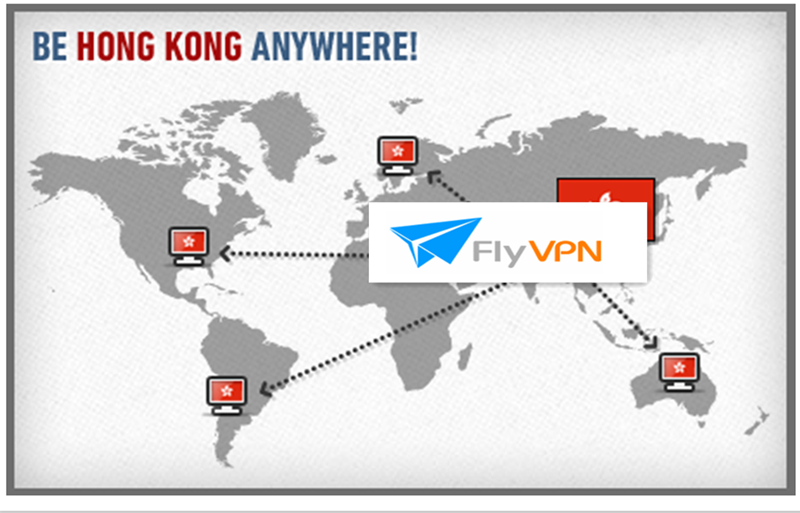
All of us need freedom across the heavily restricted, blocked and censored cyber world. HongKong is among those regions which have very little or no internet restrictions. It means you can enjoy true freedom over the internet when you connect to a HongKong VPN server.
More info about HongKong 17 server:
Traffic: Unlimited
Platforms: Windows, iOS, OS X, Android
VPN Protocol: PPTP, L2TP, OpenVPN
IP: 5 HK IP (static)
VPN Plan: Shared IP VPN
Free Trial: Unavailable
Price: $10 Monthly, $25 Quarterly, $45 Semi-Annually, $80 Annually
Payment methods: PayPal, Payza, OKPay, MyCard and Western Union
Money Back Guarantee: 30 days
FlyVPN is one of the VPN industry’s leading providers you can trust. Protect your online privacy while at home or on the go by using FlyVPN service. We have additional server locations lined up to launch throughout the year so stay tuned!

Friday, March 6, 2015

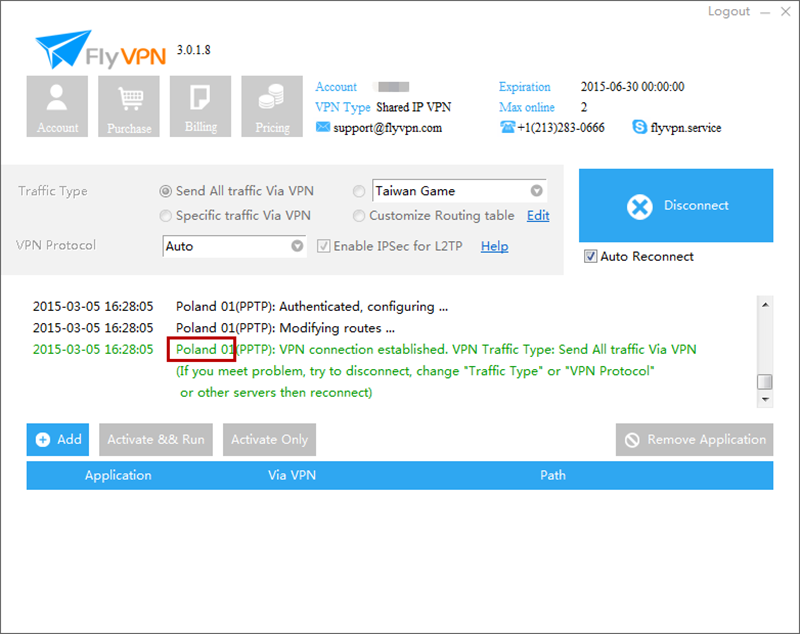
FlyVPN Expands Its Network: a New VPN Server in Poland Added

We added a new VPN server location in Warsaw, Mazowieckie, Poland! So far, we have deployed three new servers this month, always keep the intent to expand geographical VPN network.

New-FlyVPN-Poland-Server

New-FlyVPN-Poland-Server

This new Poland VPN server is your ticket to Poland. Watch your favorite Sport programs by changing your IP to a Poland one. Another thing to congratulate you is that once you buy shared IP VPN plan, containing Poland server, you would find it’s exciting that you acquired all FlyVPN’s 160 VPN servers located in different regions. Enjoy your entire list of favorite channels from anywhere in the world.
Details for new VPN Server in Poland:
IP: Static Poland IP
Platforms: Windows, iOS, OS X, Android
Traffic: Unlimited
VPN Plan: Shared IP VPN
VPN Protocol: PPTP, L2TP, OpenVPN
Price: $10 Monthly, $25 Quarterly, $45 Semi-Annually, $80 Annually
Payment methods: PayPal, Payza, OKPay, MyCard and Western Union
Money Back Guarantee: 30 days
Free Trial: Unavailable

Visit our main site: http://www.flyvpn.com/ for more information on the FlyVPN server network.

Thursday, March 5, 2015

A New Japan VPN Server Added

As one of the best VPN providers, FlyVPN keeps improving our software and expanding the VPN network worldwide. Recently, we added a new Japan VPN server, Japan 12, into our VPN network.

new-japan-VPN-server

Few weeks after adding Japan 11 server, FlyVPN added another Japan server – Japan12. This Japan server supports PPTP, L2TP and OpenVPN protocol, belonging to shared IP VPN package. You can connect to any server without restrictions on data transfer or server switching for this package.
Japan is a country renowned for its fantastic games and amazing animations. However, some of them are only available in Japan. Users can get reach of all these blocked Japan websites by using Japan servers. If you haven’t bought any VPN subscriptions, you can use FlyVPN’s free VPN plan. As three Japan servers are listed in the free accounts, you can have a free test of their practical effects. 
Here are the full details of Japan 12 server:
VPN Plan: Shared IP
IP: 1 Japan IP (Static)
Traffic: Unlimited
VPN Protocol: PPTP, L2TP, OpenVPN
Platforms: Windows, iOS, OS X, Android
Price: $10 Monthly, $25 Quarterly, $45 Semi-Annually, $80 Annually
Payment methods: PayPal, Payza, OKPay, MyCard and Western Union
Money Back Guarantee: 30 days
Free Trial: Unavailable

Saturday, February 28, 2015

Net Neutrality Victory – Internet in Everything

Internet is in everything now, and that includes politics. America’s net neutrality ruling on Thursday was a victory for consumers, which means the Internet belongs to American consumers and to politics. Net neutrality’s win proves that internet issues are popular issues. What’s more, Internet security becomes more important. The VPN service can protect your online privacy and security.  

online-security

No matter your feelings on net neutrality, it’s hard to feel like the FCC’s decision Thursday represents anything other than the mainstreaming of the internet as a political issue. Things on the technology side will largely stay the same. Technology and the internet have become mainstream issues that will play a big, permanent role in politics. 
Take a moment to look around you and see how many internet-connected things there are. And consider all of the various streams, services, and apps there are that serve those devices. You may find Internet is in everything. While, your online activities would easily be tracked. Fortunately, you will no longer be scared of going online after encrypting your entire internet with VPN connection. 
Your security must become a top priority. A VPN stops websites spying on you by hiding data that could identify you. Your real IP has been changed to another IP address the moment you connect to the virtual private network. You are anonymous after connecting to those servers, and can browse freely. No one would want your online moves like what store you went to, when you went, when you head home to be tracked. If you are new to VPN, you can use a free VPN to secure your online bank accounts, social networking accounts, email accounts, etc.
FlyVPN, including free VPN plan, is useful when you travel with a laptop computer, tablet or smartphone. Read on their VPN tutorials: http://www.flyvpn.com/tutorial . Have a free test now!

Thursday, February 19, 2015

FlyVPN Protect your Online Privacy

VPN keeps your data and activity secure online. VPN service changes your real IP and replaces it to another IP address, making you surf anonymously. 


Free public WiFi hotspots make it convenient for us to connect to the Internet when we are away from home. But some of us are too casual and careless with how we manage our personal information and activities online. This leaves us vulnerable to invasion of our privacy. Fortunately, you can use VPN connection to protect your security. Your data when sending and receiving any information over the internet would be encrypted via VPN. VPN creates a secure tunnel to the Internet, allowing you to experience the online world without website blocks, censorship or corporate firewalls.
Why leave your online activities and personal information exposed to prying public eyes! Resort to FlyVPN! FlyVPN utilizes 128 bit SSL encryption, ensuring stable speed and security. The IP address is a personal identifier. FlyVPN hides your IP, leaving a fake IP address to websites. Maintain your privacy and speed by keeping your ISP from inspecting, prioritizing and throttling the data sent to and from your device. Stop governments and employers from monitoring and controlling your online activities.
FlyVPN provides VPN free accounts, you can use them to protect your online security.

Saturday, February 14, 2015

New VPN Server in Malaysia

We added a new Malaysia VPN server in Kuala Lumpur, Malaysia. Users subscribed the shared IP package can use the new server now. Protect your privacy and browse freely online at home or on the go now!


The new Malaysia 03 server cluster is available for all VPN protocols, including PPTP, L2TP, and OpenVPN. It’s not among the free trial VPN servers, but all users can get Malaysia IP by connecting to Malaysia 01 server. Like all other servers, Malaysia 03 server is available on PC, iPhone, iPad, Mac, Android Tablet, Android phones and other devices. 
This is our 3rd VPN server Malaysia. We have deployed more than 150 VPN servers across more than 30 countries, the number keeps increasing. We pursue high quality of each server, and welcome the feedback.
More details for Malaysia 03:
IP: Static Malaysia IP
VPN Plan: Shared IP VPN
Traffic: Unlimited
Free Trial: Unavailable
Price: $10 Monthly, $25 Quarterly, $45 Semi-Annually, $80 Annually
Payment methods: PayPal, Payza, OKPay, MyCard and Western Union
Money Back Guarantee: 30 days

Thursday, February 12, 2015

Two New Taiwan Servers Added

We added two Taiwan VPN servers to our VPN network, Taiwan 09 and Taiwan 10. Taiwan 09 supports PPTP, L2TP and OpenVPN protocol. Taiwan 10 supports PPTP and L2TP. Stable, fast and easy-to-use.

New-Taiwan-VPN

They are only available in the Shared IP VPN package, not on the list on free trial servers. Users subscribed the shared IP VPN package can use them now! Users haven’t subscribe FlyVPN service can resort to free Taiwan 07 server to unblock Taiwan based sites. Get the free VPN accounts from: http://www.flyvpn.com/freetrial .
The Taiwan servers are available on PC, iPhone, iPad, Mac, Android Tablet, Android phones or other devices. They are good at unlocking Taiwan games, bypassing Internet restriction, limitations and censorship, allowing you surf anonymously. Visit your favorite websites with an encrypted and secure Internet connection!
More details for those two Taiwan servers:
Free Trial: Unavailable
VPN Plan: Shared IP VPN
IP: Static Taiwan IP
Price: $10 Monthly, $25 Quarterly, $45 Semi-Annually, $80 Annually
Payment methods: PayPal, Payza, OKPay, MyCard and Western Union
Money Back Guarantee: 30 days

Wednesday, February 11, 2015

Is Smart TV too Smart?

Does your Smart TV spy on you? If you have a Smart TV that uses voice recognition to enable voice commands, then you should be very careful about what you say in front of the internet-connected TV.

smart-tv-spys-on-you

‘Please be aware that if your spoken words include personal or other sensitive information, that information will be among the data captured and transmitted to a third party through your use of voice recognition.’ Samsung SmartTV privacy policy. Although not confirmed, it is thought that the ‘third party’ mentioned is Nuance, a company which specializes in voice recognition, and which Samsung uses to bring their white label technology to its products.
Voice recognition technology is increasingly popular, the dangers of snooping become ever more pervasive. As Smart TVs are connected to the Internet, they are capable of collecting and transmitting our data. The online data becomes more available nowadays. Your personal and sensitive conversations would be recorded without noticing. The VPN service is good at protect your online privacy and security.
FlyVPN is one of the secure tools to protect your privacy and give you online freedom. It can hide and change your IP, securing your connection. Whether accessing the Internet on a public wireless LAN hotspot or on a wired LAN, you can effectively counter wiretapping by encrypting all transferred data and ensure maximum security. 
With a VPN, you can route all of your Internet data communication over a secure server, encrypted via SSL. FlyVPN offers free accounts for free trial, get them from http://www.flyvpn.com/freetrial . If you don’t know how to use, please read on the VPN tutorials.

Friday, February 6, 2015

Bypass Ukraine Internet Censorship with VPN

In Ukraine, freedom of online activities is something that has been absent for far too long. The Ukraine government takes action in an attempt to maintain its power, lots of webs are blocked. VPN service is playing a significant role In Ukraine. 

Ukraine-Internet-Censorship

In an age where our online lives are vulnerable to hack attacks, identity thieves, surveillance and censorship, VPN service is so important. A VPN is created by establishing a virtual point-to-point connection through the use of dedicated connections, virtual tunneling protocols, or traffic encryptions. Major implementations of VPNs include OpenVPN and IPsec.
VPN helps you bypass DNS filters placed by state authorities so that you can easily access blocked websites and applications. You will be able to unblock sites that are prohibited for the public. The internet censorship and geographical restriction can be eliminating by using the VPN for Ukraine. All your activities will be unidentified and free from any government interference. If you are a businessman, you will find it easy to make transaction via the internet without any distraction.
FlyVPN allows you browse the webs via safe, secure and anonymous data tunnels. FlyVPN enables its users to access everything on the internet from any corner of the internet. You can use internet to its full capabilities, without the fear of being tracked by the censoring authorities. If you don’t know how to use VPN, please refer to the VPN tutorials. You can use any of its servers, like USA VPN servers, UK servers, Japan servers, Singapore servers and France servers etc. 

Wednesday, January 21, 2015

A New Britain VPN Server Added

Britain-VPN-Server

We added Britain 03 server into our VPN network. It's located in Basildon, with static IP. The Britain VPN server supports PPTP, L2TP and OpenVPN protocol. 
It’s only available in the Shared IP package. So users subscribed the shared IP VPN package can use it now! Also, the Britain 03 server is available on PC, iPhone, iPad, Mac or other devices. It's a good tool to bypass restriction, surf anonymously and unblock webs based in Britain. For free trial users, you can connect to the Britain 02 server to change to a UK IP. 
Details for Britain 03 VPN server:
VPN Plan: Shared IP
Free Trial: Unavailable
VPN Protocol: PPTP, L2TP, OpenVPN
Price: $10 Monthly, $25 Quarterly, $45 Semi-Annually, $80 Annually
Payment methods: PayPal, Payza, OKPay, MyCard and Western Union
Money Back Guarantee: 30 days
IP: 1 Britain IP (Static)
Platforms: Windows, iOS, OS X, Android

A New Japan VPN Server Added

We added Japan 11 server into our VPN network. It’s available in the Shared IP package. This Japan server located in Tokyo, supporting PPTP, L2TP IPSec and OpenVPN protocol. It’s a good tool to change IP, surf anonymously and unblock webs based in Japan.

Japan-VPN-Server

As it’s not at the list of free trial servers, only users subscribed the shared IP package can get this static Japan IP address. Premium members can set it on PC, iPhone, iPad, Mac or other devices. Also you can test other Japan VPN servers in our free trial VPN account, if you don’t have a premium account. Get free VPN username and password from http://www.flyvpn.com/freetrial .
Details for Japan 11 VPN server:
VPN Plan: Shared IP
IP: 1 Japan IP (Static)
Price: $10 Monthly, $25 Quarterly, $45 Semi-Annually, $80 Annually
Free Trial: Unavailable
VPN Protocol: PPTP, L2TP, OpenVPN
Platforms: Windows, iOS, OS X, Android
Payment methods: PayPal, Payza, OKPay, MyCard and Western Union
Money Back Guarantee: 30 days

Friday, January 16, 2015

David Cameron Wants to Ban Some Online Messaging Apps

British Prime Minister David Cameron proposed that he would pursue banning encrypted messaging services if Britain’s intelligence services were not given access to the communications recently.
Popular chat and social apps that encrypt data may be blocked, such as WhatsApp and Snapchat. Internet companies like Google and Facebook are required by European politicians to provide greater information about people’s online activities after several recent terrorist threats, including the attacks in Paris. Apple’s iMessage and FaceTime also encrypt their data, and could fall under the ban along with other encrypted chat apps like Telegram. Any restriction on these online services, however, would not take effect until 2016, at the earliest.
David-Cameron-Wants-to-Ban-Some-Online-Messaging-Apps

It seems useless to avoid cyber criminals to steal your data although taking such measures. Even if he does go ahead with this proposal, there are many ways to circumvent these restrictions. Users can use VPN service or Proxies to get around these restrictions.
VPN service is always popular when it talks to the online security and privacy. The anonymous VPN connection allows users to use the Internet anonymously and prevent online data. Millions of people have subscribed the VPN connection to make their IP-addresses invisible. What’s more, there are lots of free VPN, like FlyVPN. It provides hundreds of static or dynamic IPs.

Tuesday, January 13, 2015

How to Fix Authentic Failed on iPhone, iPad and Mac?

Some users would meet the authentic failed problem when configure VPN on iPad, iPhone, Mac and some other iOS devices. This article is about how to fix this frequently appeared problem when using FlyVPN on iPhone or iPad: authentication failed.

VPN-Authentic-Failed

1. Try to change VPN protocols, from PPTP to L2TP. There are two VPN protocols for iOS, PPTP and L2TP. OpenVPN appears only in the FlyVPN Client.
2. Try to change into another VPN server. The current server maybe not as stable as we thought. When authentication failed appeared, try to switch into another server.
3. Remove the current profile, start a new VPN connection. 
4. Check if the IP addresses of the server are correct, appearing when users choose setup FlyVPN on iPhone, iPad, Mac manually.
5. As the severs listed in the two free trial accounts are different, free trial account users also need to check if the server is compatible with free trial account. 
6. Free trial account: check if the online users of trial accounts are reached the limit, from the VPN trial page. If it’s full load, try this later.   
7. Premium account: To see if your account reaches the limitation of online devices. That’s if user had login your account on other devices, it would be more likely that his account remains online on those devices, thus approaching the max number of devices.
Open this to look at the operation: http://www.flyvpn.com/User/Overview. If it reaches the limitation of online devices, please disconnect, then try again.
8. If all these methods can’t solve the problem, please if there is any programs that against FlyVPN, such as VPNs of other companies.
Hope this can help to fix your authentic failed problem.

LinkWithin

Related Posts Plugin for WordPress, Blogger...